
Discover all the affiliate secrets from the mVAS perspective!
Affiliate marketing from Beginner to Advanced
-
Part 1 - The basics of affiliate marketing
-
Part 2 - The affiliate network
-
Part 3 - Tracking Lessons
- Intro
- Adding Golden Goose network to your tracker
- Adding Golden Goose offers to your tracker
- Placing a Global Postback
- Placing postbacks for individual offers
- Adding landing pages to your tracker
- Adding Traffic sources to your tracker
- Building a campaign in your tracker
- Configure traffic back Campaign URL
-
Part 4 - Market Research and landing pages
-
Part 5 - Pop Traffic
-
Part 6 - Push Traffic
-
Part 7 - Additional Resources
Where to find landing pages (Spy tools + GG Dashboard)
There are several ways to find landing pages for your campaigns to use when you’re getting started. It’s important to remember that landing pages can be similar but somehow unique. When you’re getting started, landing pages are one of the most common issues because they require a different skill (coding) besides marketing and numbers analysis.
Many new affiliates want to reinvent the wheel initially and they want to spend months learning how to code and build landers on WordPress or other site builders, but you don’t need to.
The best way to get started is by analyzing what already works and tweaking it to your needs. At a later stage you will be able to leverage landing pages more but focus on learning one thing at a time because landing pages can also be ripped and spied very easily. And that goes both ways.
Let me show you how to get some landing pages for your first campaigns easily. There are at least four ways to do this:
- Buying landing pages
- Getting landing pages from your affiliate network
- Spying landing pages with a spy tool
- Spying landing pages manually (time-consuming and you don’t get much data)
Spying landing pages manually is a complex process and I won’t explain it for beginners here. Plus you don’t get the full picture while doing it and you can spend hours just trying to find something that works. You can do that later if you want.
But for now, let’s focus on the other solutions so you can launch your campaigns as soon as possible.
Buying landing pages
This is by far the easiest solution to get started but it can be a bit expensive. There are multiple landing page vendors, starting from $50 to hundreds of dollars per landing page.
However, for beginners, this is probably expensive, so I want to mention a couple of solutions that work great with tight budgets.
The first one is called Purelander.
Purelander is a landing page builder, but contrary to many other popular builders, Purelander is completely focused on CPA offers and simple landers, which is great because those are the type of landers that we want to use for pop and push notifications traffic.

At just $25 for six months, this is one of the most affordable solutions to get started. You’ll end up paying less than $5 per month. While Purelander is not perfect, they’ve got a ton of different landing page styles and it’s good enough to get started.

The only downside I can see from Purelander is that it’s just a builder and not a market research tool. Other tools will show you data of how the landing pages are being used and give you numbers from different traffic sources to increase the probability of testing only the best offers and landers.
But we’ll check those later as those solutions are more expensive for sure.
Besides Purelander, there’s another super cheap option to get your first landing pages and this one is a limited offer from the creators of Adplexity.

For just $1, you can buy a pack with some of the best landing pages from their monthly reports. You can find the latest one here: Adplexity Landers.
You’ll notice the pack is dated from November 2020, and that’s because they only do this every few months at most. If you look around on forums or using Google, you might find some older packs from 2020 or even 2019.
At $1 per pack, those are a no-brainer for sure, even if you end up using a spy tool later. Just go and get them while they’re still available. Here’s the link.
Getting landing pages from your affiliate network
I must say this isn’t very common but some awesome networks have landing pages in their inventory for you to test. This is super useful for new affiliates and most of them have them integrated into their offers so that you don’t even have to add them to your tracker or host them yourself.
While this isn’t recommended because you get less data on your tracker, it can be a lifesaver feature for new affiliates. Golden Goose is one of those great networks where you’ll get a few landing pages for many offers and it’s up to you if you want to download them or use them straight from the affiliate network.
Let me show you how to use them.
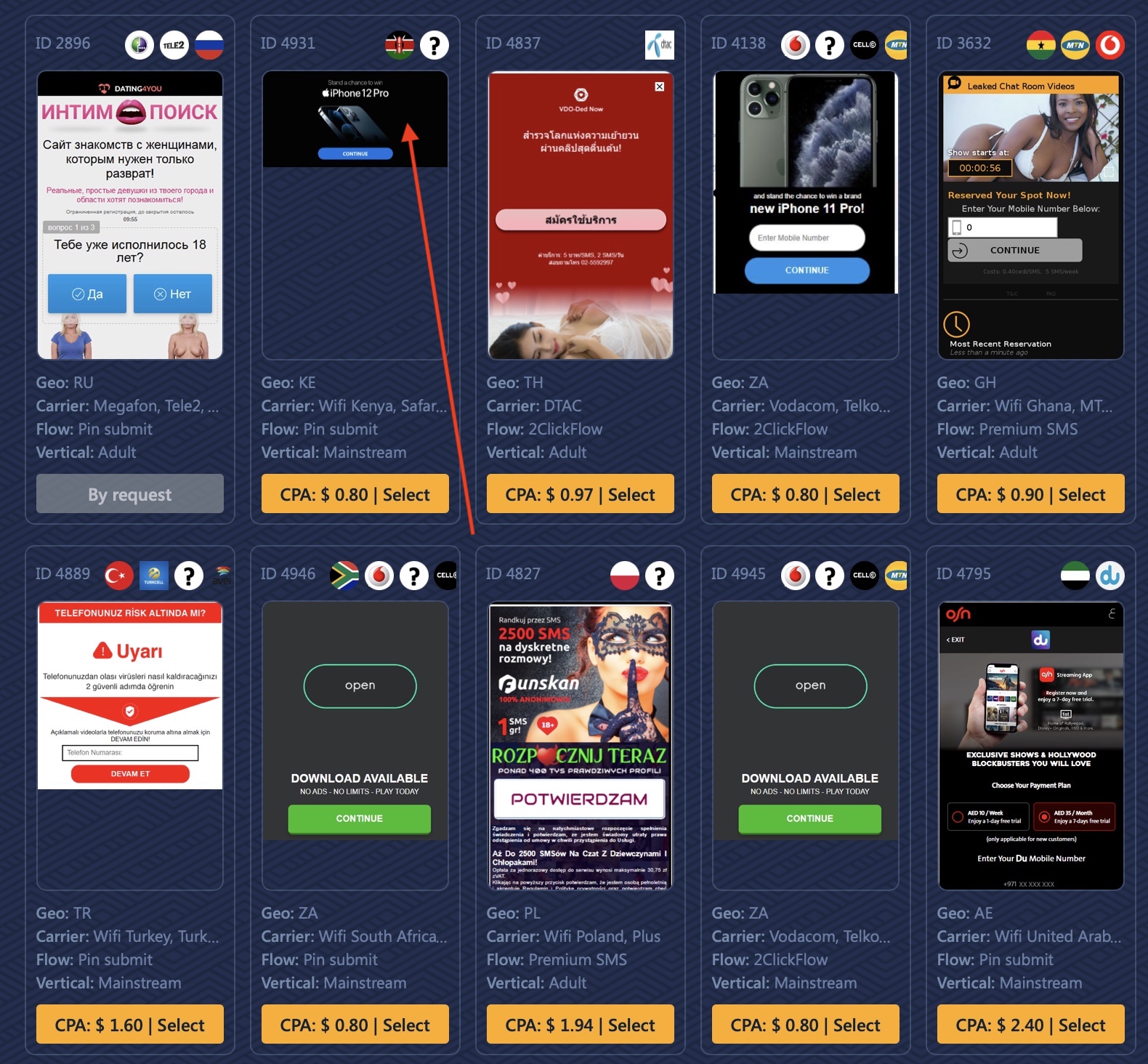
First, go to your Golden Goose dashboard and select one of the top offers. However, make sure you click the offer image and not the Payout button (yellow).
Now that you’re inside the offer’s page, you’ll find a few landing pages (if available) at the right side of the details:
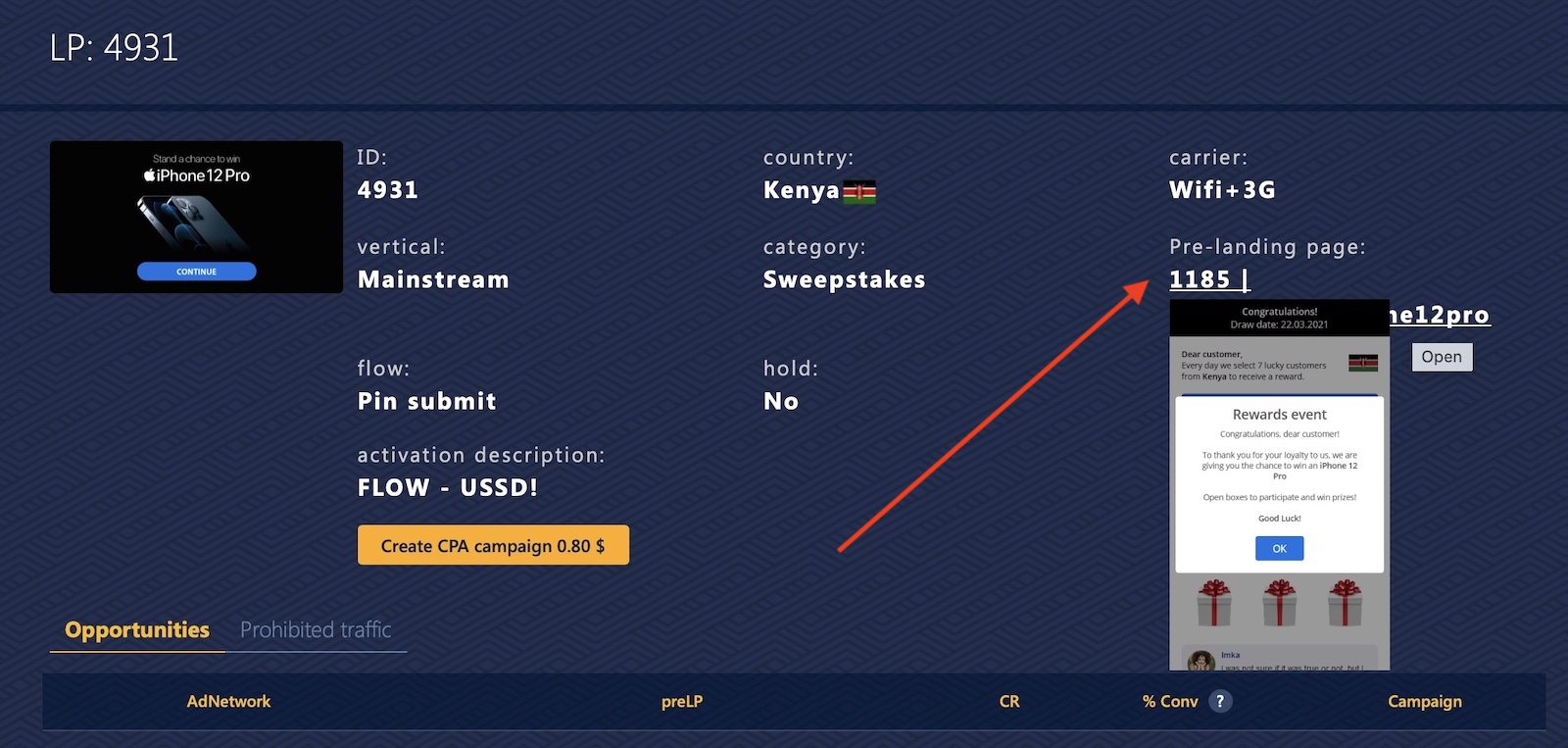
Feel free to click one or more of the landing pages to open them and get a feel of how they work. If you get a bit more technical you could also download those landing pages and host them yourself, but let’s not get ahead of ourselves yet. We will talk about how to download landing pages in a minute.
If you scroll down you’ll see the opportunities list, which includes a list of ad networks and the landing pages people are using along with the overall CR (conversion rate) and the % of conversions that the offer receives so far from the total cap.
For example, in this image:
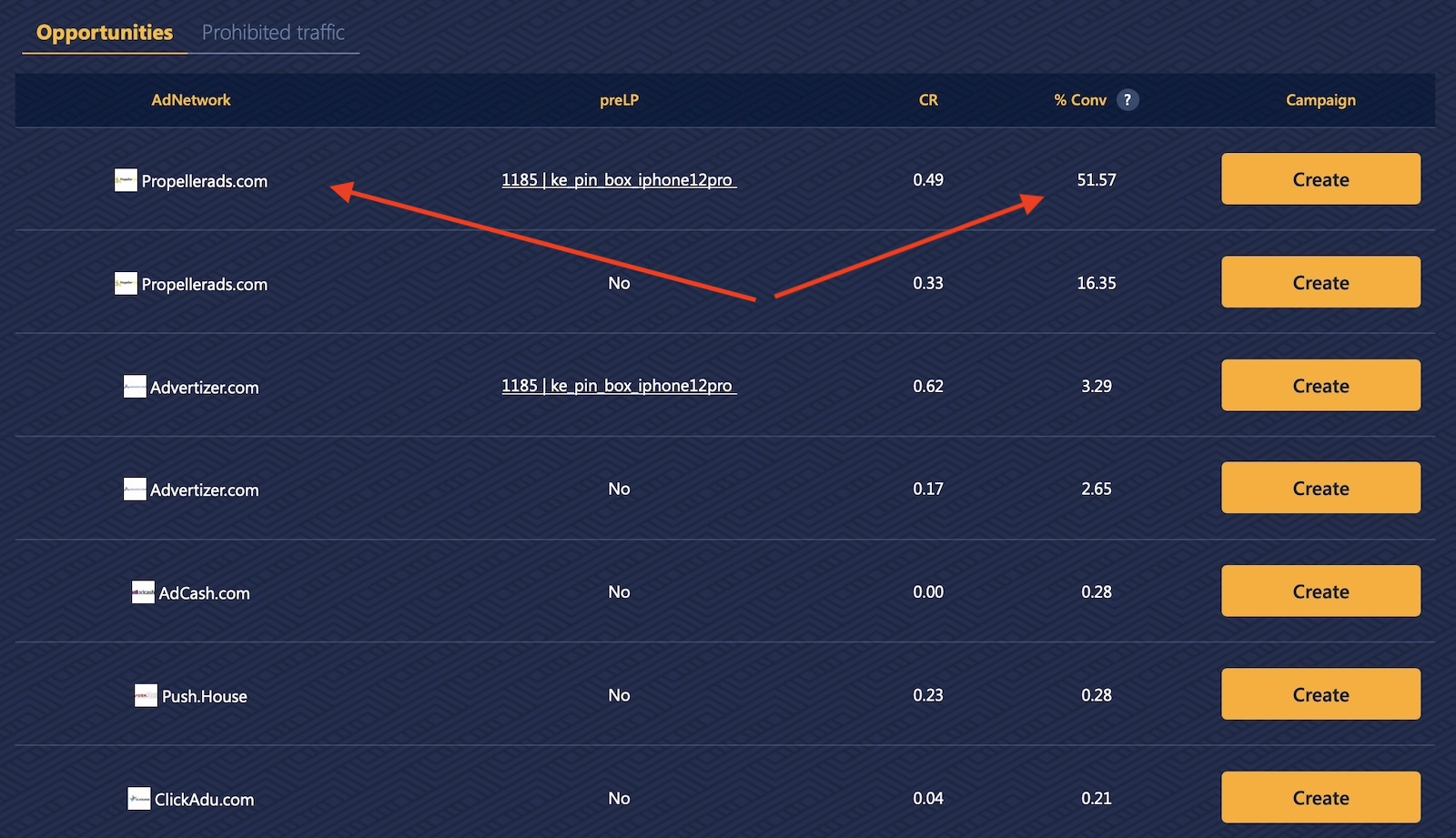
51% of the total conversions are coming from people running this offer on PropellerAds with a pre-lander (1185).
You can see other networks such as AdCash, Advertizer, and Clickadu as well. This list can help you scale your campaigns to other networks later and Golden Goose is a very transparent network about this.
Click create on any of the traffic sources and Golden Goose will create an offer URL template for you.
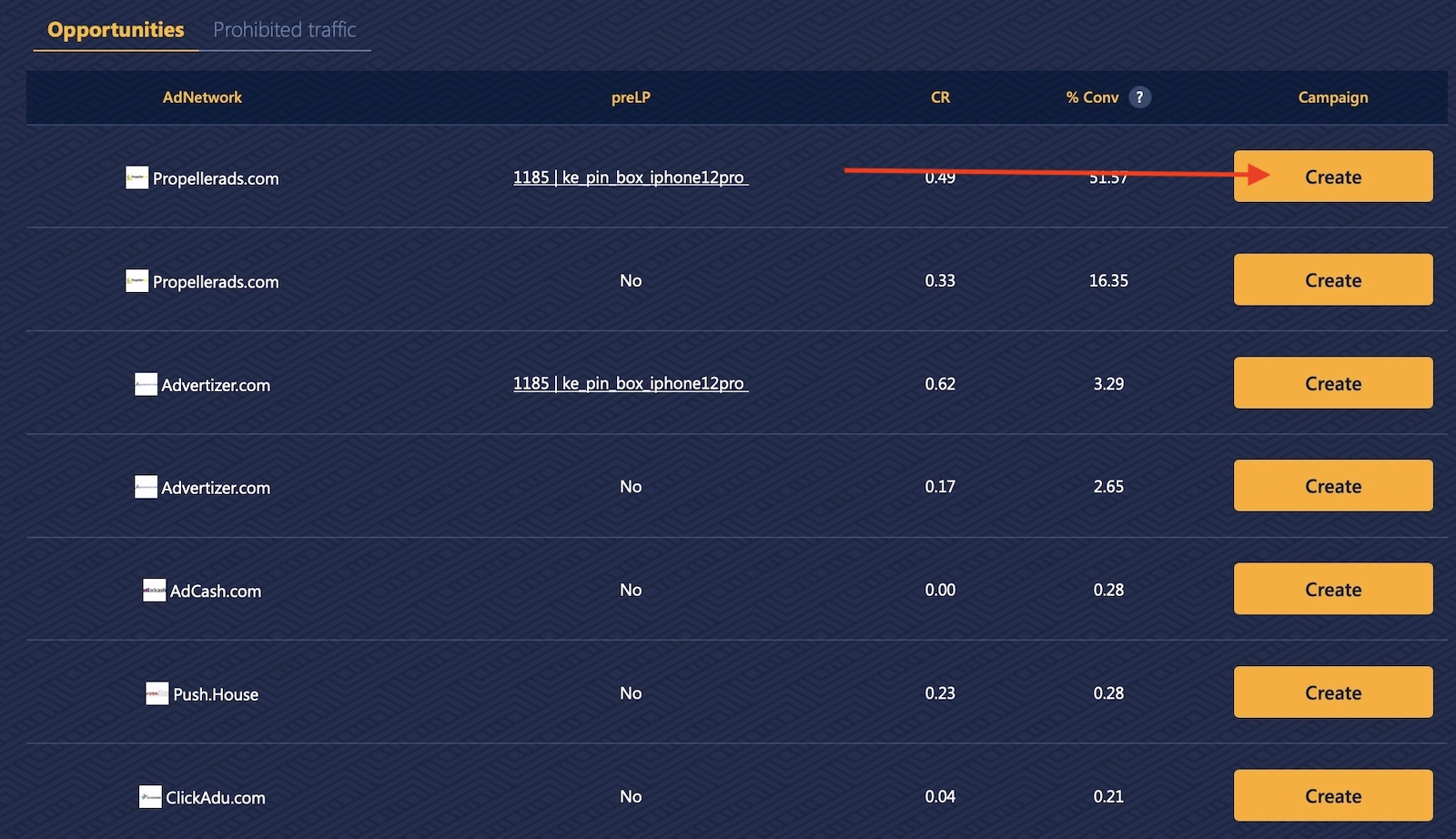
You can always click the “step 2” menu above and go back to selecting a different pre-lander.
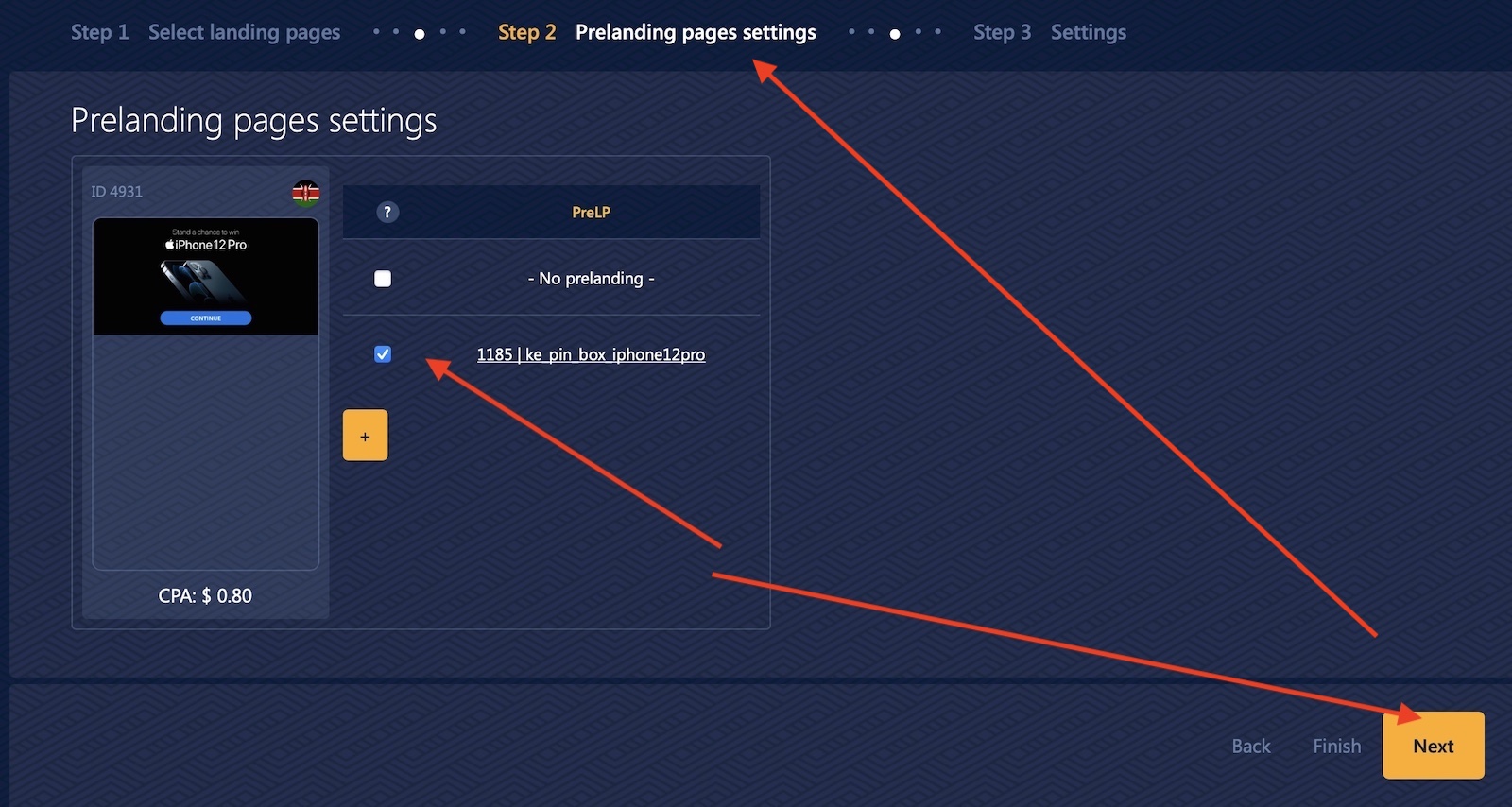
Once you’re done, click “next”, and in step 3, set up your offer in your tracker as you normally would following the steps we have learned before. Your offer now has an integrated landing page for you to use and increase the conversion rate!
As a quick reminder, most networks don’t offer pre-landing pages for you to use like Golden Goose. I might remember 4-5 networks that offer landers and the rest pretty much only have the final offer page (or variations) available. Extra points for Golden Goose helping new affiliates!
Also, you can now find banners in the offer section by clicking here:

This is a fairly new feature, but a welcomed one for sure. You will be able to find more and more banners once they start adding them to the database and run them on native ad networks, interstitials, regular banners, and more.
Let’s move to the last option to use landing pages, which is using a spy tool.
Spying landing pages with a spy tool
Using a spy tool, or a market research tool as many people call them is one of the most common ways to get started with landing pages.
The main advantage of using a spy tool vs. just using landers from a builder or an affiliate network is the ability to read data and understand what’s being used and what’s not.
Spy tools crawl and scan many traffic sources and websites, trying to give you the best information about which landers are being used and where.
This information can be crucial because you focus on the landing pages that are being used the most. Spy tools also give you data about the offers that are being run in a traffic source, which is something you won’t get from the other two solutions.
However, this comes at a price. Spy tools normally start at around $100 and can be priced up to $300 or so every month. For pop and push notifications traffic, the top spy tools available are Anstrex and Adplexity.
Both spy tools also have tools to download landing pages and banners, which makes the process easier for new affiliates. Push notifications, for example, use icons or banners in some networks. So you’ll get the whole icon, text, and landing page along with ideas of which offers are doing better.
Overall, I think spy tools are a powerful option to get started and mostly to get a full overview of what’s working in each country and traffic source. Once you see what’s popular in a spy tool, you’ll understand the market.
Let’s check out Anstrex and quickly go over how it works before moving to the next segment.

Once you create an account on Anstrex Push, you’ll see your dashboard with a ton of campaigns being crawled by their tool.

The important thing here you need to learn is how to use the filters to find winning campaigns for the countries and verticals you’re promoting.
First of all, you want to sort your ads by gravity or strength (desc). After that you need to filter down by country, traffic source, and possibly affiliate network, depending on what you’re running.
Here’s an example of what I’d choose if I wanted to spy on South Africa’s campaigns running on PropellerAds.

You can add more filters, such as the affiliate network, but something I’ve noticed that works better is to simply sort your campaigns by keywords or verticals to find every other campaign that runs in the same space even if it’s not from the same affiliate network. This will give you many more ideas about what works and angles to test.
You can search the ad creatives or landing pages for keywords using the search function shown here:
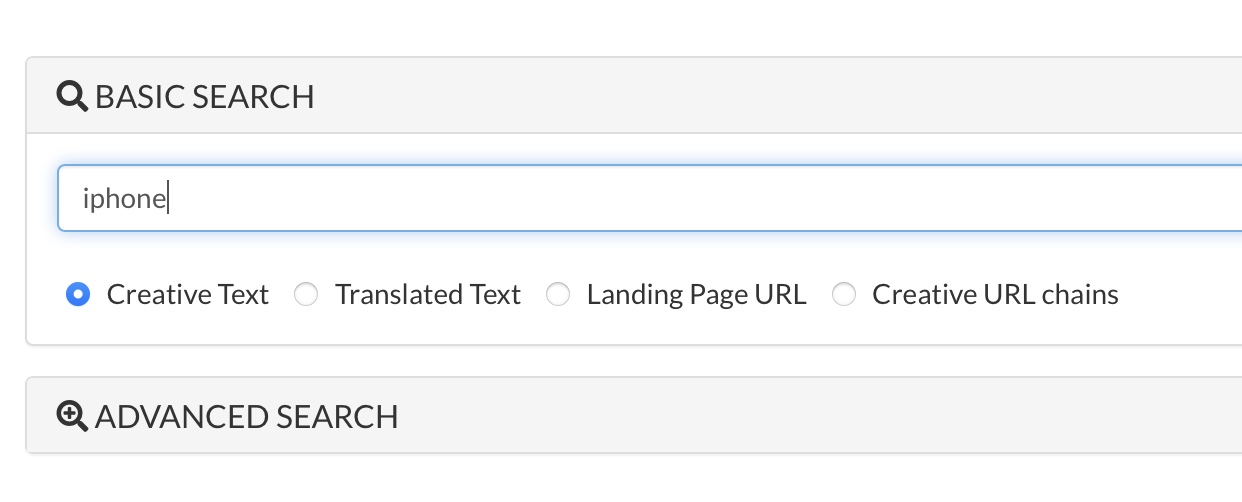
Here’s an example of the same query from above but looking for sweepstake offers specifically promoting iPhones:
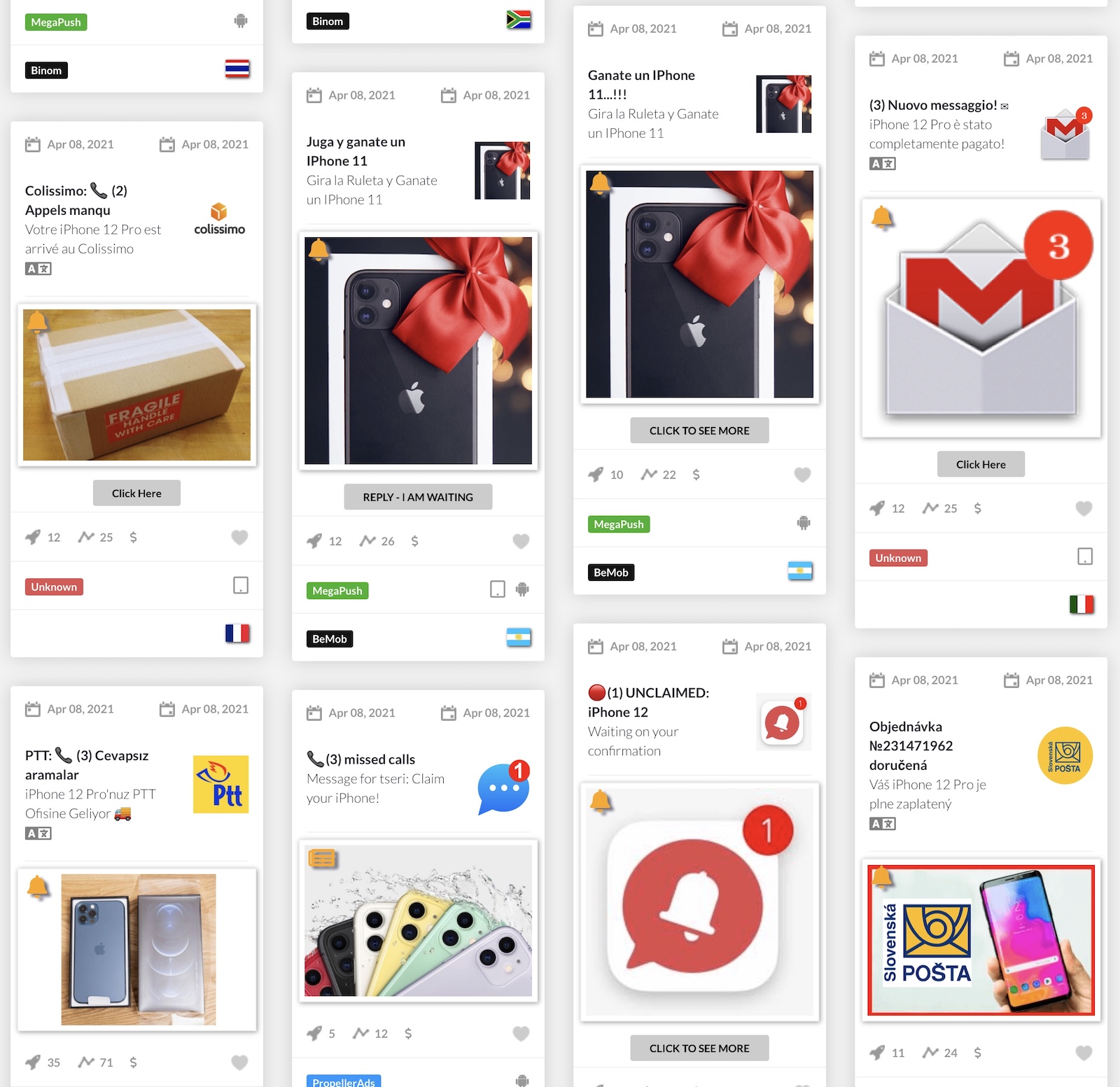
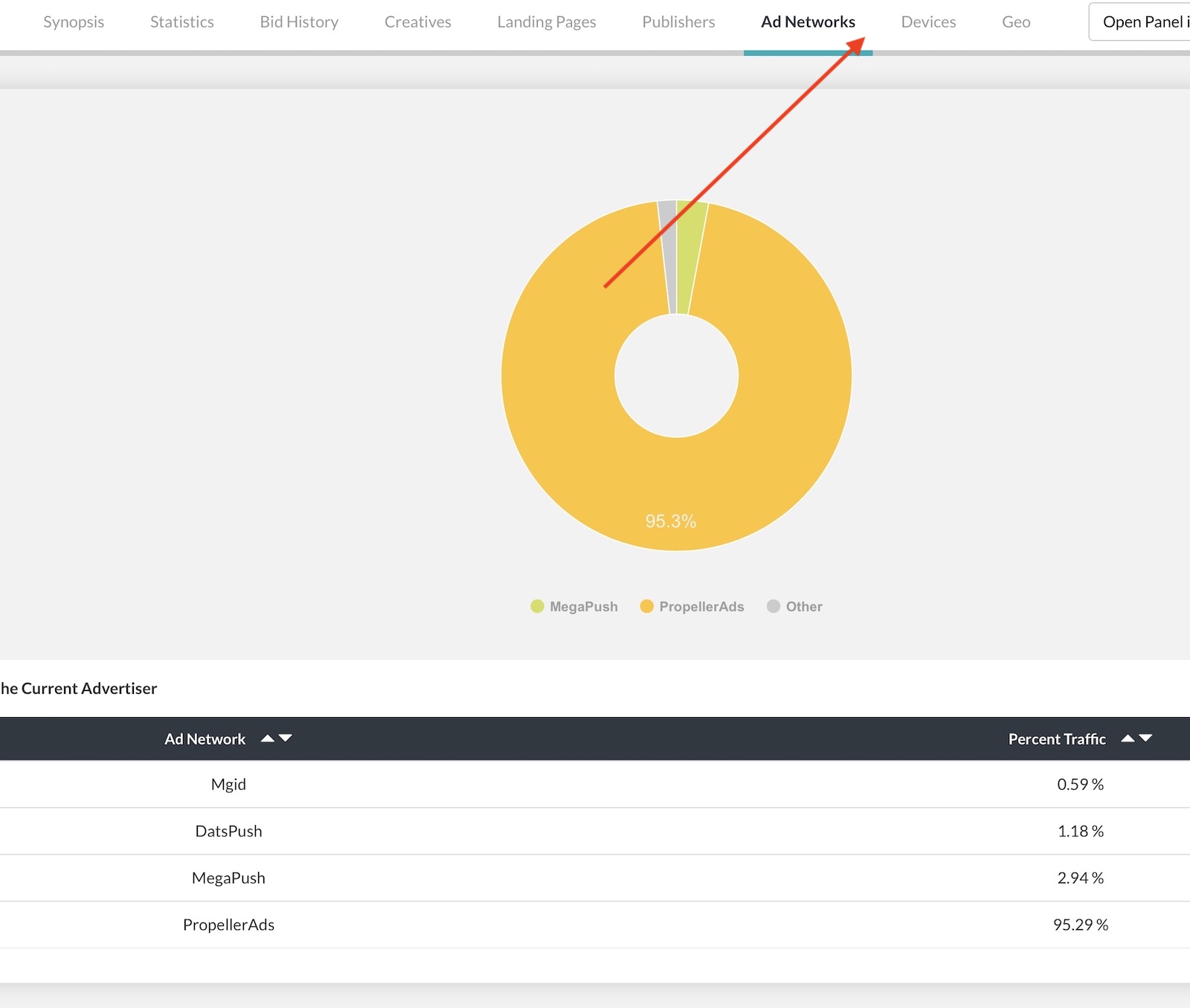
Once you’ve selected a campaign to check, click on it and you’ll find more information about it such as:
- Landing page
- Statistics
- Bids and country
- Creatives used
- Ad networks
- Devices
If you find a landing page that could work for your offer, click the “Download and Deploy” button on Anstrex and you’ll get a zip containing the files for that landing page.

Make sure you click the “visit page” button first to confirm the landing page still works.
Since we’re using Anstrex make sure you download (using the “save as…” menu from your browser) the images and copy the text of the push notification creatives to get a few examples to test.
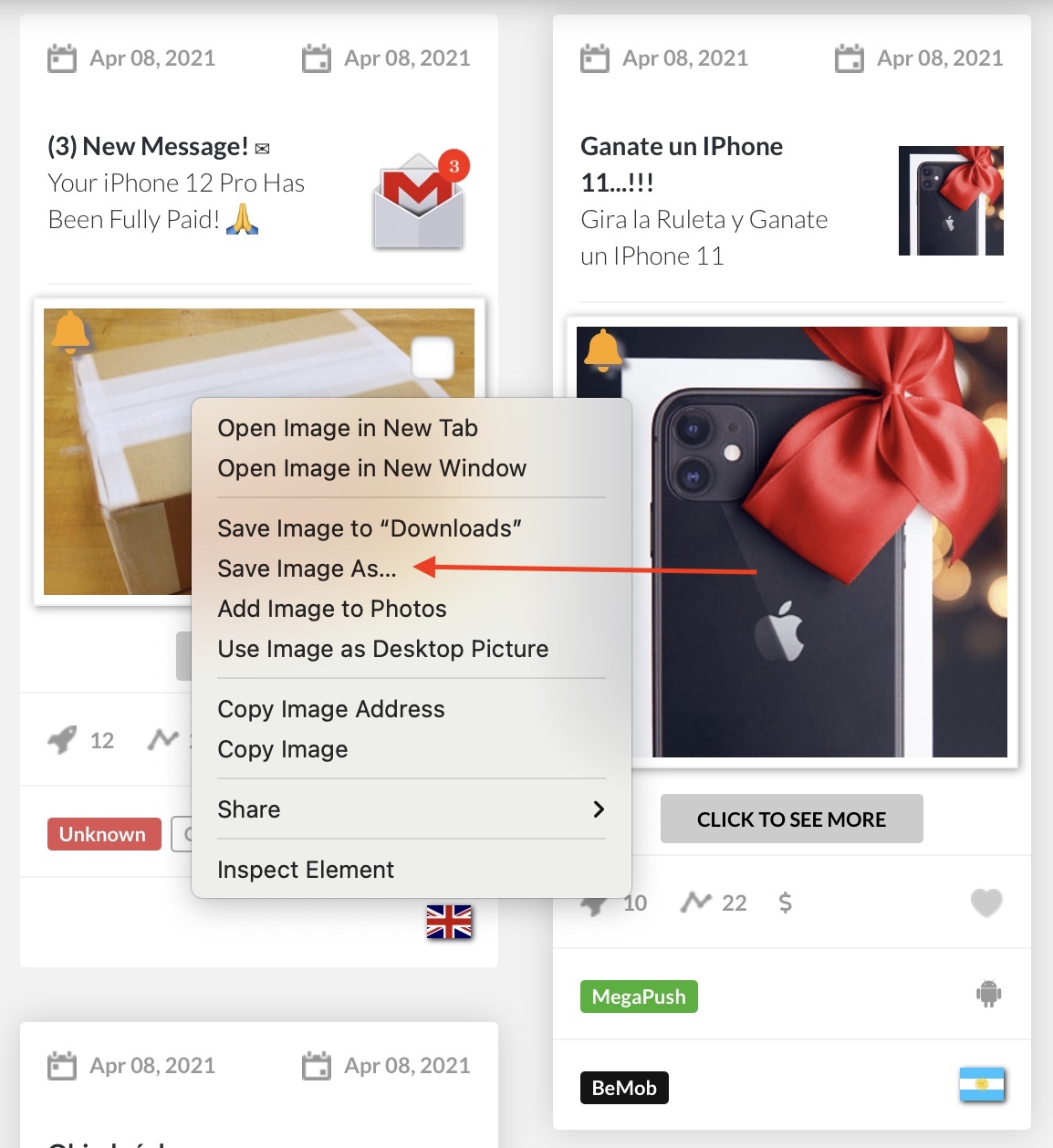
That’s it. Now you’ve got landing pages for your campaigns and even creatives if you’re going to run push traffic and not just pops.
Search
 Searching...