
Discover all the affiliate secrets from the mVAS perspective!
Affiliate marketing from Beginner to Advanced
-
Part 1 - The basics of affiliate marketing
-
Part 2 - The affiliate network
-
Part 3 - Tracking Lessons
- Intro
- Adding Golden Goose network to your tracker
- Adding Golden Goose offers to your tracker
- Placing a Global Postback
- Placing postbacks for individual offers
- Adding landing pages to your tracker
- Adding Traffic sources to your tracker
- Building a campaign in your tracker
- Configure traffic back Campaign URL
-
Part 4 - Market Research and landing pages
-
Part 5 - Pop Traffic
-
Part 6 - Push Traffic
-
Part 7 - Additional Resources
Placing a Global Postback
Before moving on to the next step, let’s set up our postback to connect your affiliate network correctly with your tracker.
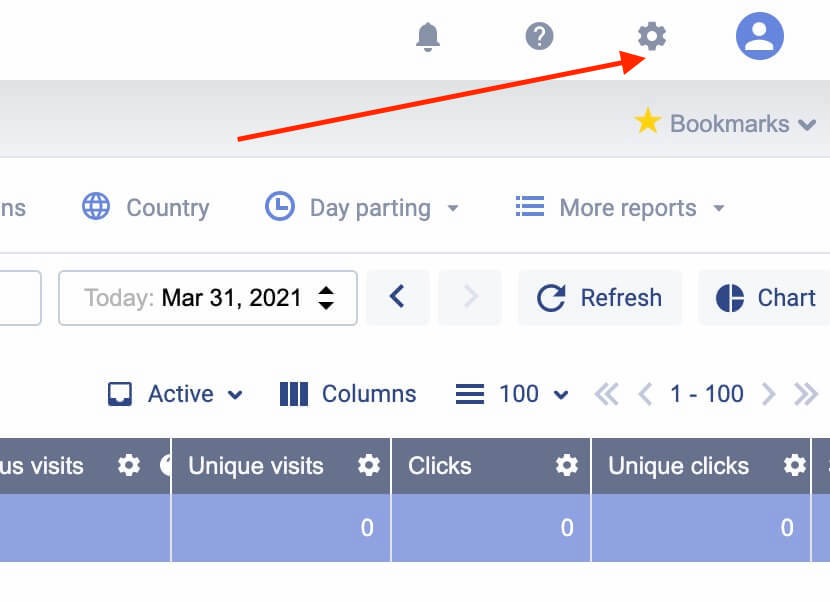
Go to your Voluum settings by clicking the gear icon at the top right corner:
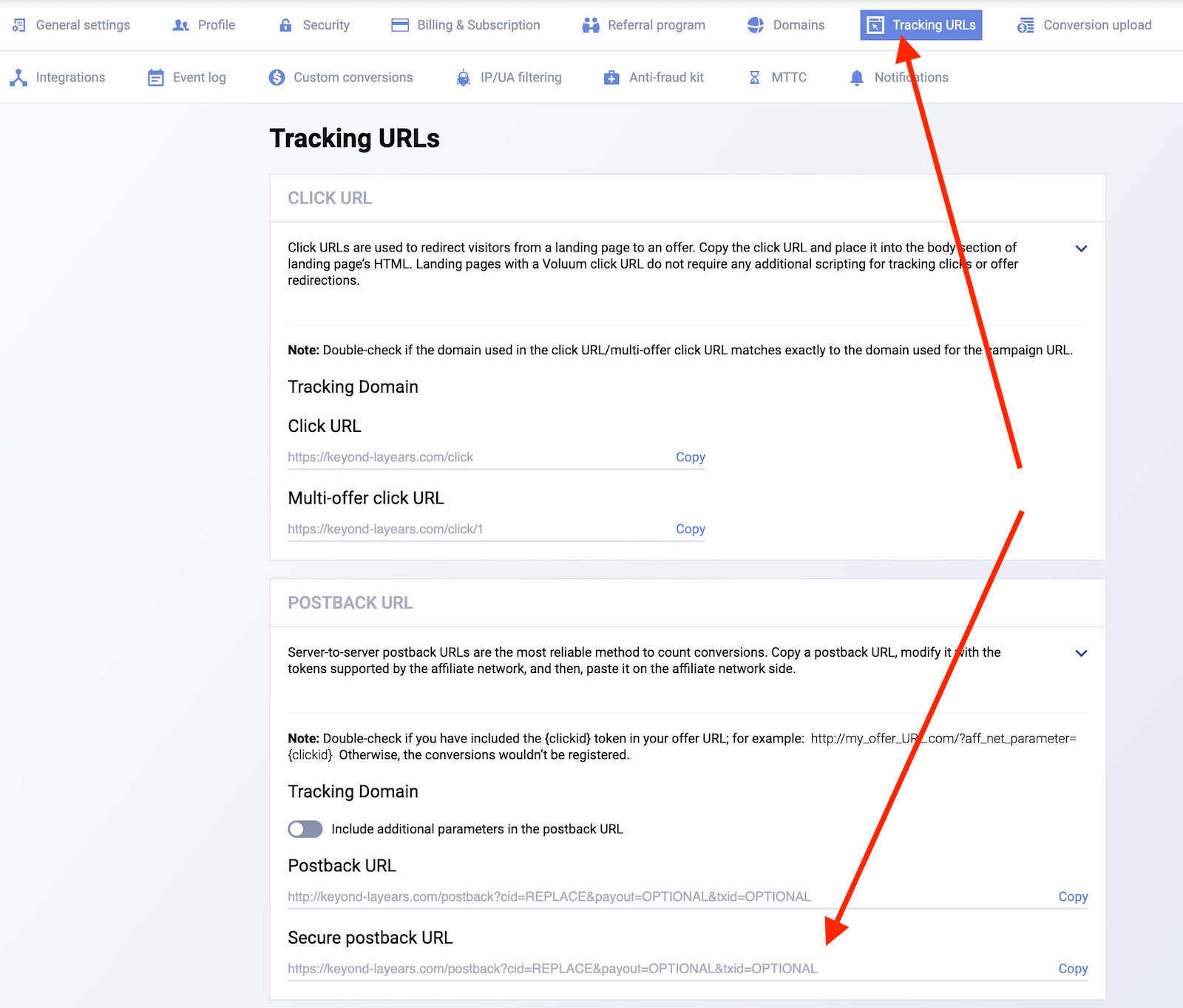
Now select the “tracking URLs” menu and scroll down to the “postback URL” area. Copy your secure postback URL:
Now you just have to go to your profile settings and set a Global Postback:
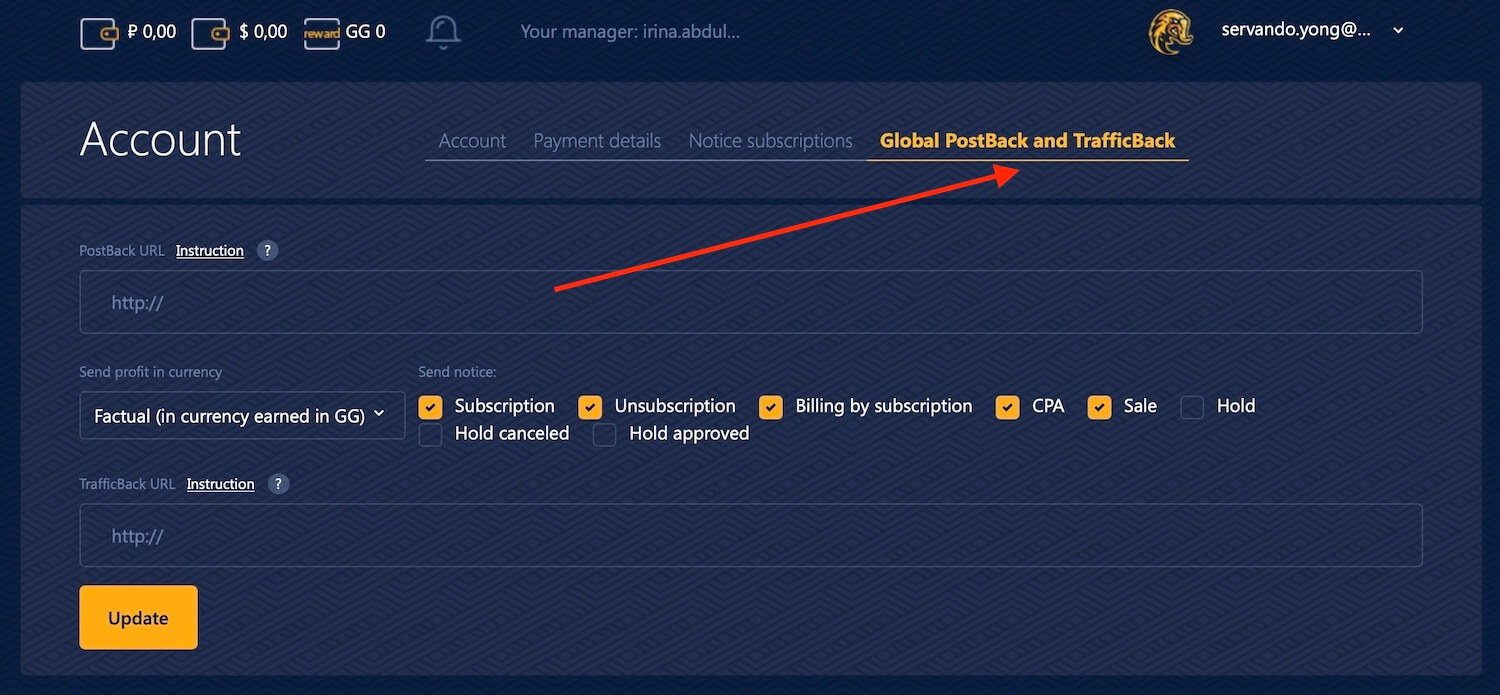
Paste the same Postback URL we just used on the offer page here and set your currency, then hit “update”.
This global postback will apply to all of the offers and you won’t need to set it each time you create a new offer on Golden Goose, which is more convenient. Just make sure you are passing the {clickid} in parameter 1 as we explained before and everything will work.
This is the recommended way to set up postback URLs, as you cover all the offers with just one setting (global). If you’re using a tracker, this is what I recommend doing most of the time.
Search
 Searching...