
Discover all the affiliate secrets from the mVAS perspective!
Affiliate marketing from Beginner to Advanced
-
Part 1 - The basics of affiliate marketing
-
Part 2 - The affiliate network
-
Part 3 - Tracking Lessons
- Intro
- Adding Golden Goose network to your tracker
- Adding Golden Goose offers to your tracker
- Placing a Global Postback
- Placing postbacks for individual offers
- Adding landing pages to your tracker
- Adding Traffic sources to your tracker
- Building a campaign in your tracker
- Configure traffic back Campaign URL
-
Part 4 - Market Research and landing pages
-
Part 5 - Pop Traffic
-
Part 6 - Push Traffic
-
Part 7 - Additional Resources
Adding Traffic sources to your tracker
Adding a traffic source on Voluum is quite easy if you work with any of the top push or pop traffic sources. Volume, as well as many other trackers already have default templates for many of the well-known sources.
Let’s go over how to add a couple of traffic sources for both pop and push. First, open the “traffic sources” tab and click the “Create” button again. Select “traffic source” and you’ll be presented with a new menu:
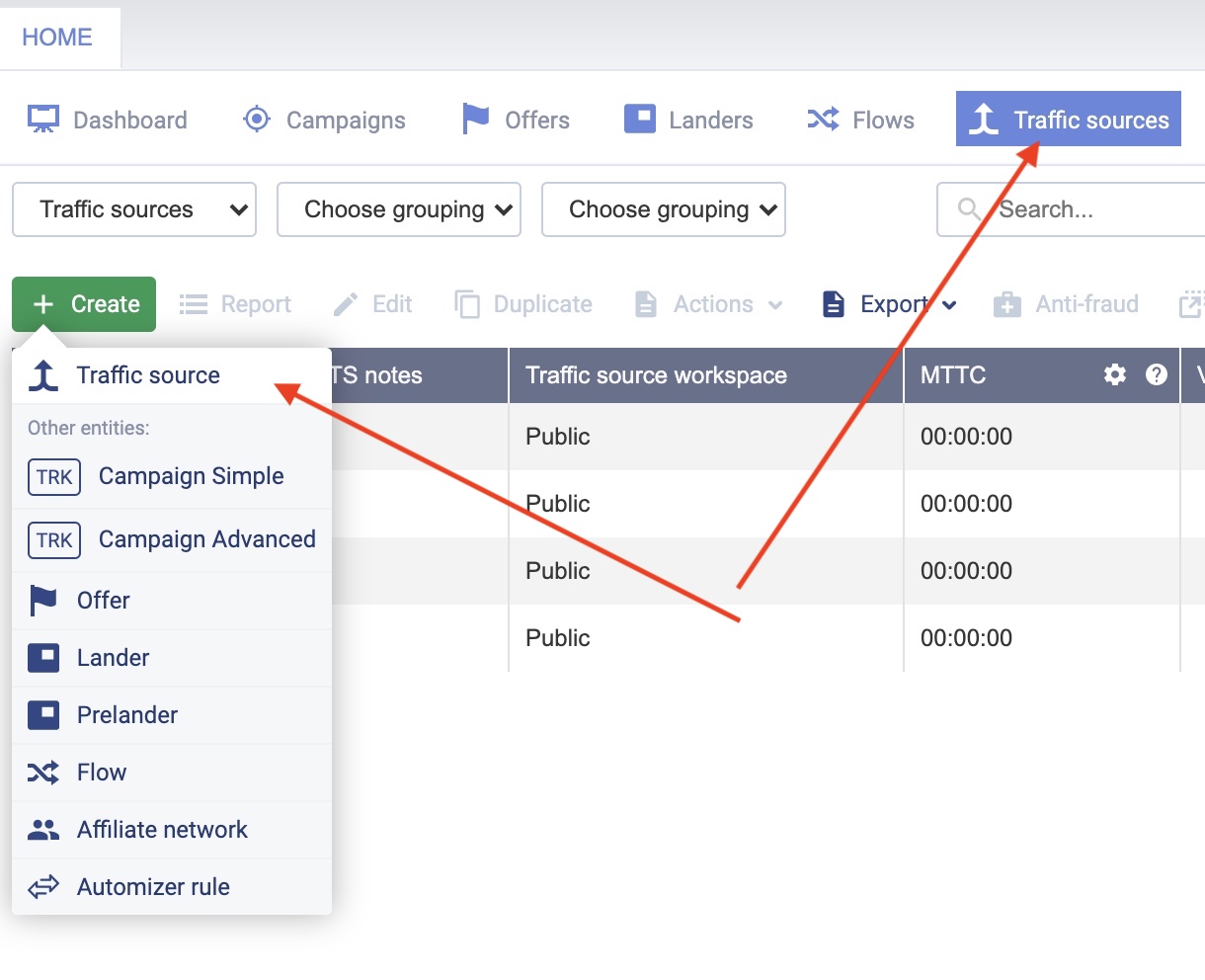
From here, you can select from around 50 pre-recorded traffic networks or create your own in case you don’t find it there. Luckily, you will find most of the top traffic sources for pop traffic and push.
Let’s select PropellerAds, as it’s one of my favorite sources and one of the best in terms of quality and volume. Click “next” after that and you’ll see this menu:
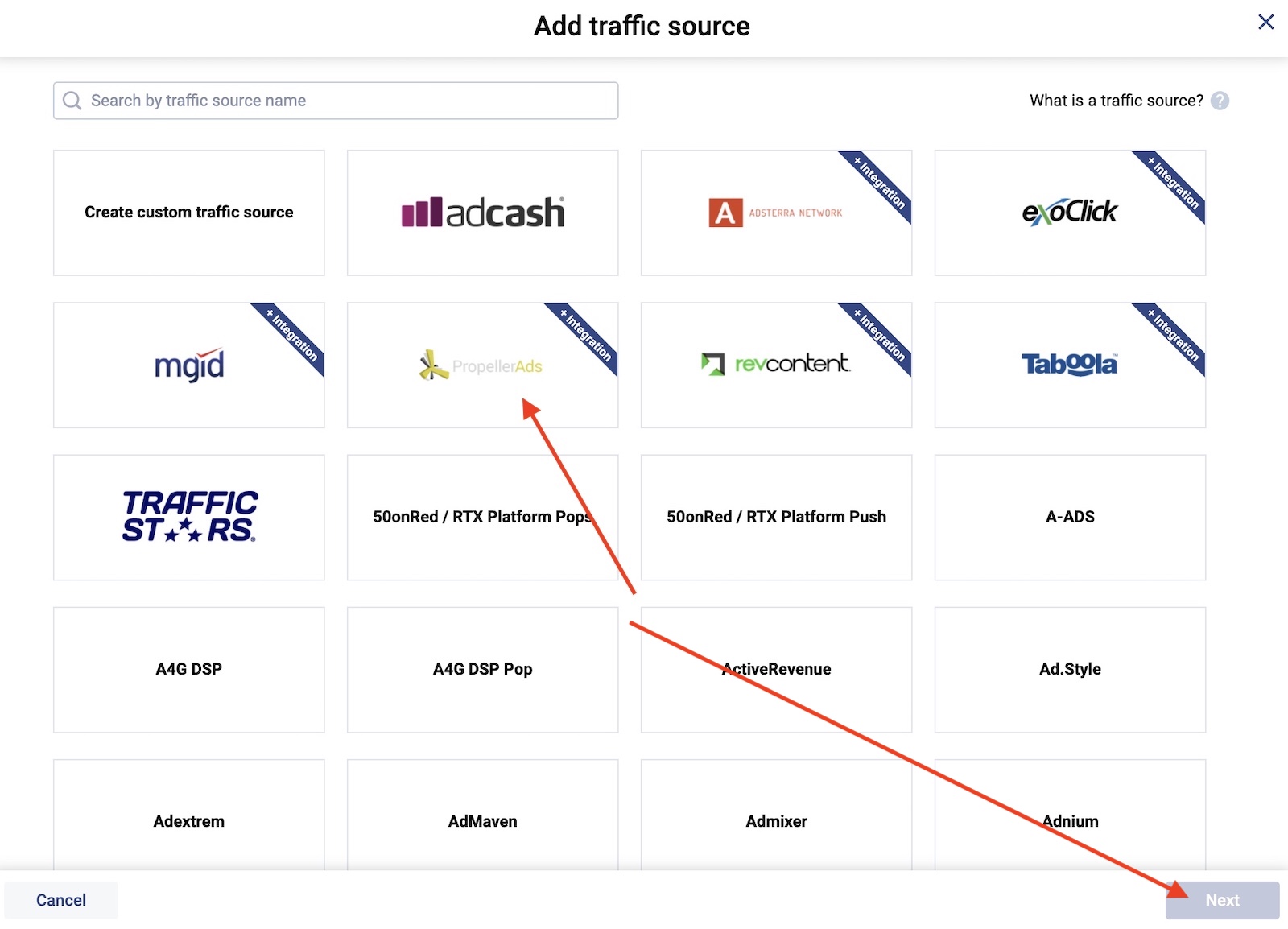
Everything will be set and good to go, including the tracking tokens and postback for this traffic source. Just click “save” and you’ll be good to go.

Your traffic source is now added to your tracker.
Let’s do it again for PopAds since we’ll be using it as well for an example of how to create campaigns.
Click the “create” button again and select “traffic source”. Then scroll down and select “PopAds from the traffic source options:

Again, you’ll see everything is set up correctly, except for the postback which we will need to set up later once we create our account as every postback is a bit different for each PopAds account.
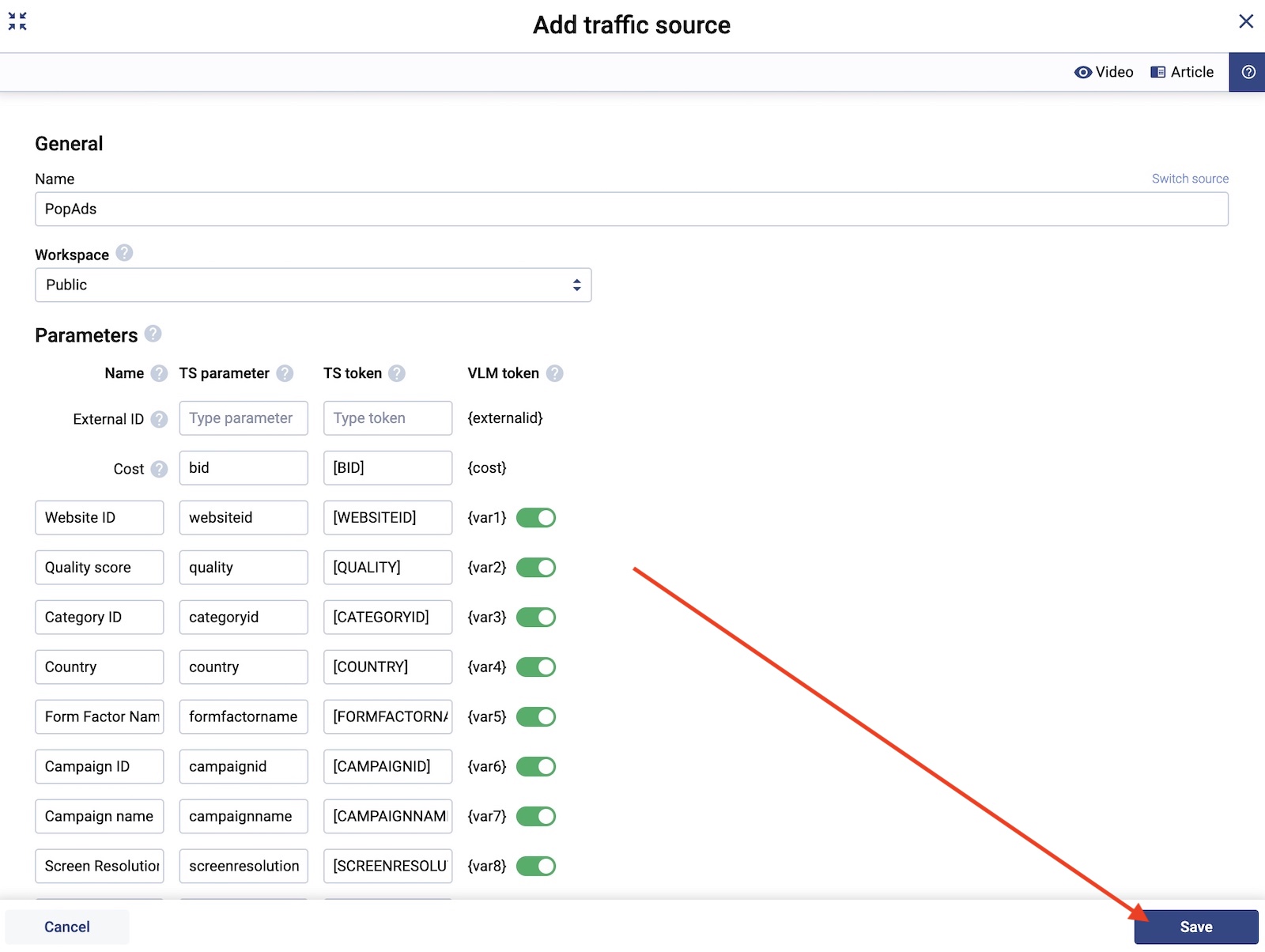
Click “save” and you’re good. Now you have two traffic sources ready to launch campaigns. Let’s create our first campaign now that we have added an affiliate network, an offer, a landing page, and a traffic source.
Search
 Searching...